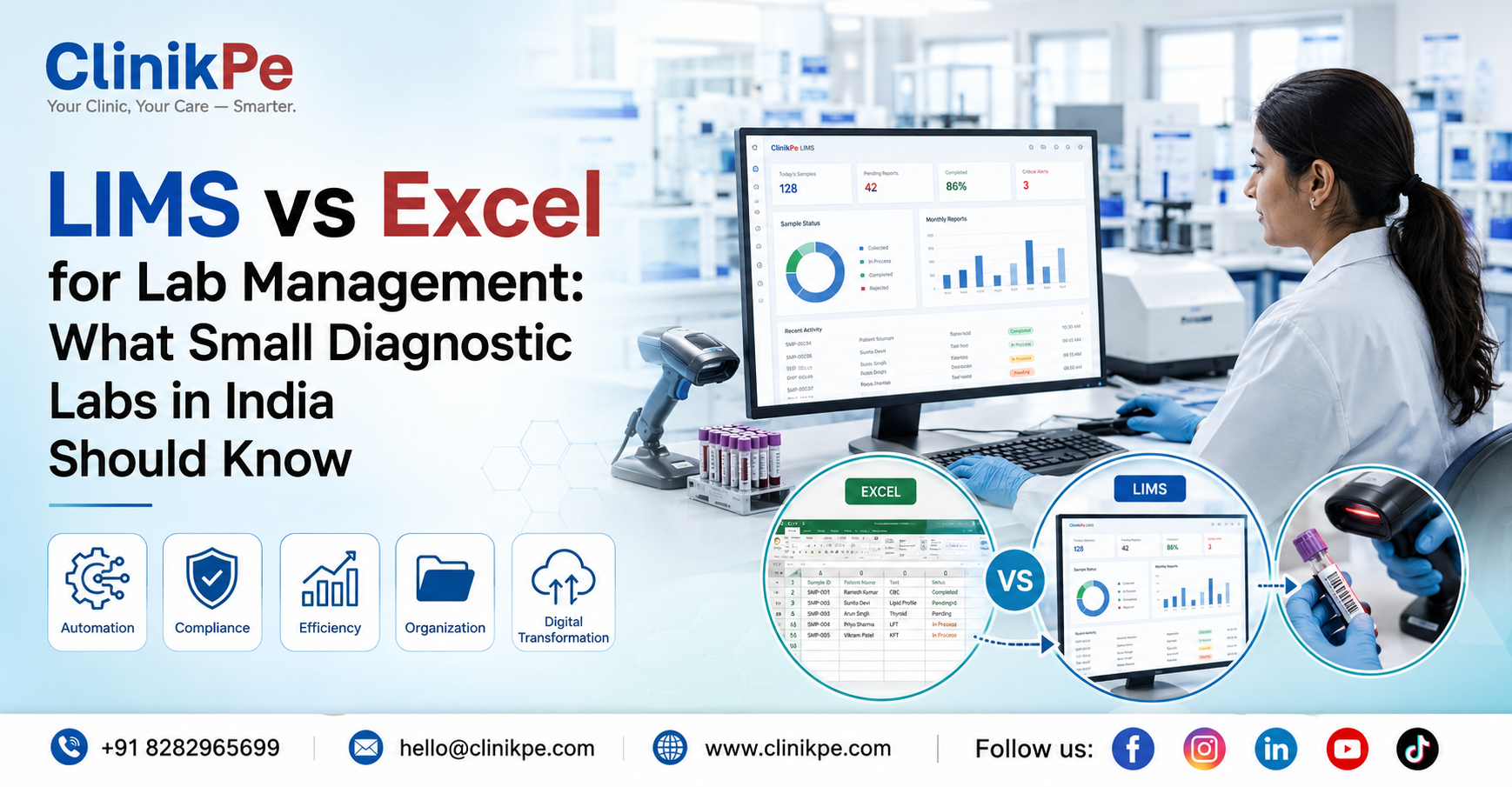
Many diagnostic labs in India start with Excel sheets for managing tests, patients, and reports. At the beginning, spreadsheets feel simple and affordable. Staff can enter patient details, record test results, and generate basic reports without investing in specialized software.
However, as labs grow, Excel-based management begins to create serious operational bottlenecks.
Lost sample data, delayed reports, difficulty tracking referrals, and billing inconsistencies are common challenges for labs relying on spreadsheets. These issues affect not only efficiency but also patient trust and compliance with regulatory standards.
This is where the conversation around LIMS vs Excel for lab management becomes important.
While Excel can work for very small setups, a Laboratory Information Management System (LIMS) is specifically designed to manage diagnostic lab workflows—from sample tracking to reporting and analytics.
In this article, we’ll explore the practical differences between Excel and LIMS, why many Indian labs eventually outgrow spreadsheets, and how technology can help labs operate more efficiently.
The Problem Explained:
Excel spreadsheets are widely used because they are familiar and inexpensive. But diagnostic labs deal with high-volume operational data, and spreadsheets are not built for that scale.
Consider a small pathology lab handling 120–150 tests per day.
Each sample requires:
- Patient registration
- Sample collection entry
- Test allocation
- Result recording
- Report generation
- Billing
When all of this is handled through spreadsheets, problems quickly emerge.
For example:-
• Staff may accidentally overwrite existing data.
• Multiple versions of files may exist across systems.
• Tracking a specific sample can take several minutes.
• Generating reports manually slows down delivery time.
In healthcare operations, even small delays or errors can impact patient care.
Labs using spreadsheets often find themselves spending more time managing data instead of managing operations.
Why This Happens in Indian Labs and Clinics:
There are several reasons why many diagnostic labs in India continue to rely on Excel for lab management.
1. Low initial cost:
Excel is already available on most computers, so labs avoid additional software expenses.
2. Lack of awareness:
Many small and mid-sized labs are not aware of specialized tools like Lab Management Systems (LIMS) that are designed for diagnostic workflows.
3. Gradual operational growth:
A lab that started with 20 tests per day may eventually reach 200 tests per day, but the management system never evolves.
4. Manual process culture:
Healthcare operations in many smaller clinics and labs still rely heavily on manual registers and spreadsheets.
But as test volumes increase, these manual systems create challenges such as:-
- Sample tracking issues
- Delayed reporting
- Data duplication
- Referral management problems
- Billing discrepancies
These operational inefficiencies often become visible only when labs start scaling operations.
Practical Solutions:
Labs that want to improve efficiency can take several practical steps to transition from spreadsheet-heavy workflows.
1. Standardize data entry:
Create structured formats for:
- Patient details
- Test types
- Sample IDs
- Reporting templates
Standardization reduces errors and confusion.
2. Automate report generation:
Instead of manually formatting reports in spreadsheets, labs should use systems that automatically generate:
- branded reports
- structured results
- downloadable PDFs
3. Implement sample tracking:
Each sample should have a unique barcode or ID, allowing labs to track its status across the workflow.
4. Centralize data storage:
Instead of maintaining multiple spreadsheets across computers, labs should move toward centralized digital systems.
5. Track referrals and billing:
Referral doctors and billing data should be integrated into the same system to avoid reconciliation issues.
These improvements significantly reduce operational friction.
Technology’s Role in Modern Lab Operations:
Technology is increasingly becoming essential for diagnostic labs that want to scale operations and maintain accuracy.
A Laboratory Information Management System (LIMS) is specifically designed to manage the entire lab workflow.
Typical features include:-
• Sample tracking
• Automated report generation
• Patient management
• Billing integration
• Referral management
• Inventory tracking
• Analytics dashboards
Unlike spreadsheets, LIMS platforms are built to handle large volumes of lab data efficiently.
Cloud-based systems also allow lab owners to:-
- access reports remotely
- monitor test volumes
- manage multiple branches
If you’re exploring digital lab management tools, you can [Explore our Lab Management System].
You may also want to read our [Complete Guide to Lab Digitization] to understand how digital systems transform lab operations.
Implementation Tips:
If your lab is considering moving from Excel to a digital system, a phased approach works best.
Step-by-step checklist
✔ Audit your current workflows
✔ Identify repetitive manual tasks
✔ Evaluate lab software that fits your scale
✔ Train staff on digital workflows
✔ Start with sample tracking and reporting automation
✔ Integrate billing and referral management
✔ Monitor operational improvements
Labs that adopt structured digital workflows typically see improvements in:-
- reporting speed
- operational transparency
- staff productivity
- patient experience
You can also [View Lab Management System Pricing] to understand the cost structure of modern lab software.
Final Takeaway
Excel spreadsheets may work during the early stages of a diagnostic lab, but they quickly become inefficient as operations grow.
Manual data handling increases the risk of:
- reporting delays
- sample tracking issues
- operational confusion
A dedicated Lab Management System (LIMS) helps labs streamline workflows, reduce errors, and scale operations more effectively.
For a deeper comparison of tools, you can also read [LIMS vs Excel for Lab Management].
As diagnostic services continue to expand across India, adopting digital systems is becoming less of a luxury and more of an operational necessity.
If you’re exploring ways to modernize your lab operations:-
Explore our Lab Management System
FAQ Section
Excel can work for very small labs with limited daily tests. However, as test volumes increase, spreadsheets become inefficient for sample tracking, reporting, and billing.
A Laboratory Information Management System (LIMS) is software designed to manage lab operations such as sample tracking, reporting, billing, and workflow management.
Labs switch to LIMS to improve:
1. operational efficiency
2. reporting speed
3. data accuracy
4. patient management
Many cloud-based lab management systems are designed specifically for small and mid-sized labs, making them more affordable than traditional enterprise systems.
LIMS automates report generation and sample tracking, allowing labs to deliver results faster and reduce manual work.